Best Parental Control Apps for iPhone in 2026 (7 Tested)
iPhone parental controls are a different game than Android — and anyone who tells you otherwise is selling something. Apple’s locked-down ecosystem means third-party apps can’t do what they do on Android: no system-wide web filtering across browsers, no SMS monitoring, no call logs. But iPhone parents have a secret weapon Android parents don’t: Apple Screen Time, built in, free, and genuinely powerful when configured properly.
This guide ranks the 7 best parental control apps for iPhone in 2026 — starting with the honest truth about what iOS allows, then the apps that make the most of it.
Quick verdict: Start with Apple Screen Time (free, already on the phone) — it covers 70% of needs when properly configured, which most parents haven’t done — the defaults are weaker than the fully configured version. For more, Qustodio is the best paid iPhone parental control app, Bark is the best pick for teens (AI alerts), and Parentaler is the best-value all-in-one when you want controls plus monitoring together.
🛡️ Best Value All-in-One: Parentaler
Parental controls plus iPhone monitoring via iCloud — no jailbreak needed. Web filtering, app limits, GPS, and message visibility in one app.
The iPhone Reality Check (Read This First)
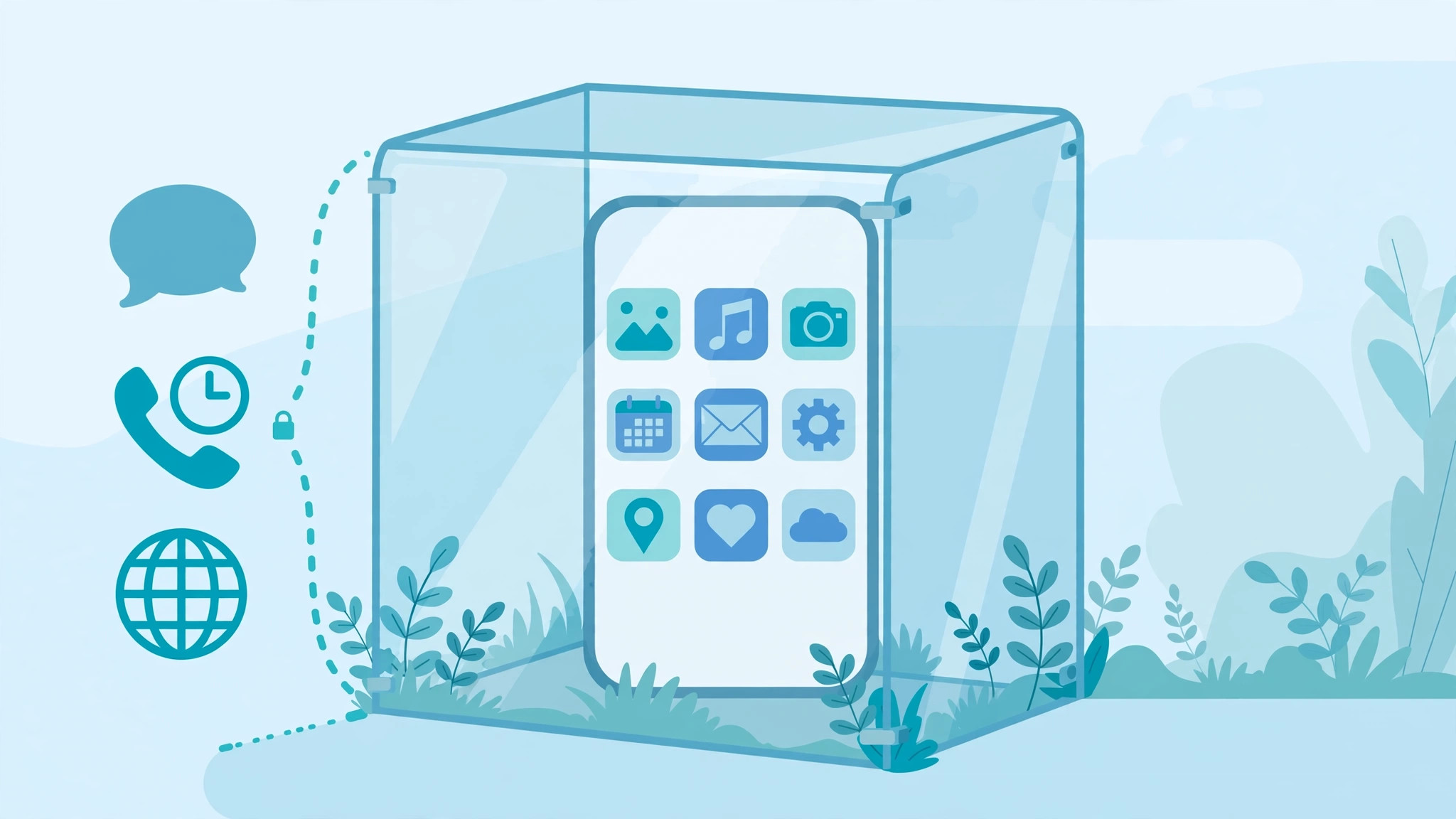
Apple’s App Store rules prohibit the techniques parental control apps use on Android. Concretely, on iPhone no third-party app can:
- Filter web traffic across all browsers (each app is sandboxed)
- Read SMS or iMessage content
- Access call logs
- Run persistent background monitoring like Android
What they can do: use Apple’s Screen Time API (with your permission), filter within their own browser app, track location (with permission), and manage their own VPN-based filtering (which Apple periodically cracks down on).
What this means for you: iPhone “parental control apps” are thinner than their Android versions — including Qustodio’s, which is excellent on Android and merely good on iOS. The winning strategy on iPhone is layering: Screen Time (free, system-level) + one smart paid app (Bark for awareness, Qustodio for controls). Anyone selling you a single iPhone app that “does everything” is overselling.
Comparison Table: 7 iPhone Parental Control Apps
| App | Best for | Price (from) | Free tier | iOS strength |
|---|---|---|---|---|
| Apple Screen Time | Best free baseline | Free | Full | System-level, Apple-built |
| Qustodio | Best paid overall | ~$55/yr | Limited | Best use of Screen Time API |
| Bark | Teens / AI alerts | $99/yr | Bark Jr free | Account-level monitoring |
| Parentaler | Best value all-in-one | Mid-range* | Trial | Controls + iCloud monitoring |
| Net Nanny | Web filtering | ~$55/yr | No | Own-browser filtering |
| Norton Family | — | ~$50/yr | No | Weak on iOS (honest warning) |
| Eyezy | When you need monitoring | ~$9.99/mo | Demo | iCloud-based visibility |
Confirm live pricing at checkout — promos change often. Last verified October 2026.
How We Ranked These
We tested on iPhones running iOS 17–18, scoring: how well each app works within Apple’s restrictions (not against an Android fantasy), setup friction, reliability of limits and filters, location accuracy, alert quality, and battery impact. We weighted honesty about iOS limitations heavily — apps that pretend iOS restrictions don’t exist scored down.
The 7 Best Parental Control Apps for iPhone
1. Apple Screen Time — The Free Baseline (Start Here)
Before spending a cent, spend 20 minutes in Settings. Screen Time on iOS 17/18 offers: app limits (per-app and by category), Downtime schedules, Communication Limits (who they can contact and when), Content Restrictions (age ratings for apps, media, web), purchase approvals via Family Sharing, and Screen Distance alerts. It’s system-level — no third-party app can override or bypass it without the Screen Time passcode.
Why it ranks #1: it’s free, it’s unbreakable (without the passcode), it can’t be uninstalled, and it doesn’t drain the battery. For kids under 12, properly configured Screen Time plus Find My location sharing covers nearly everything.
Configuration most parents skip (the 20-minute setup that matters): Content Restrictions → Web Content → “Limit Adult Websites” (stronger than the default); Communication Limits → set “During Downtime” separately (not just during Screen Time); a Screen Time passcode different from the device passcode (kids watch you type the device code); Family Sharing with a child Apple ID — under-13 accounts can’t leave the family group, change their age, or disable restrictions; and purchase approvals (“Ask to Buy”) so nothing installs or buys without your tap.
What properly-configured Screen Time replaces: for most under-12s, it replaces every paid app on this list. App limits, downtime, web limits, contact limits, purchase gates — that’s the complete parental toolkit. The paid apps below earn their price only when you need cross-device management, awareness (Bark), or conversation visibility (Parentaler/Eyezy).
Honest cons: no message or social monitoring; no location alerts (pair with Find My); teens know workarounds (changing time zones, web apps instead of blocked native apps); reports are basic.
Skip if: never — every iPhone family should configure this first, even if you buy something else too. It’s the foundation everything else builds on, and skipping it is like buying a security system but leaving the front door open.
2. Qustodio — Best Paid iPhone Parental Control
Qustodio’s iOS app is the best third-party effort within Apple’s rules. It uses the Screen Time API properly (rather than fighting it), adds cross-platform dashboarding (manage iPhone + Windows + Android from one place), and layers on YouTube monitoring, location with geofencing, and an SOS button.
The honest iOS caveat: it’s not the Android version — and Qustodio doesn’t pretend otherwise, to their credit. Web filtering routes through Qustodio’s browser/VPN approach, which Apple constrains more every year. Per-app limits work via the Screen Time API — good, but you’re partly paying for a nicer interface over what Screen Time does free. Where Qustodio earns its iPhone price: cross-device families (iPhone + Windows PC + Android tablet under one dashboard), superior reporting and history (Screen Time’s reports are thin), and location with geofencing that Find My doesn’t do as a parental tool.
Who should buy it for iPhone: mixed-device households where the iPhone is one of several screens to manage. Who shouldn’t: iPhone-only families who’ve fully configured Screen Time — the marginal gain may not justify $55+/year, and we’d rather tell you that than take the affiliate-free endorsement.
Pricing: from ~$54.95/year (Basic, 5 devices) to ~$96.95/year (Complete, unlimited). Confirm at checkout.
Honest cons: overlapping heavily with free Screen Time on pure-iPhone families; no message content; premium price for what Apple gives free at the system level.
Skip if: the family is iPhone-only and you’ve fully configured Screen Time — the marginal gain may not justify $55+/year. Buy it for mixed-device households.
3. Bark — Best for Teens on iPhone
Bark sidesteps iOS restrictions cleverly: instead of fighting the sandbox, it monitors at the account level — connecting to the teen’s iCloud-adjacent accounts (email, social platforms) rather than the device. The AI scans texts, email, and 30+ platforms for bullying, predation, self-harm, and explicit content, alerting you only when something’s wrong.
Why it works on iPhone: account-level monitoring doesn’t need device permissions Apple won’t grant — it sidesteps the sandbox entirely. And the philosophy — privacy by default, alerts on danger — suits teens far better than locks and blocks, which teens experience as distrust and route around with energy you’d rather they spent on homework. Bark is the only app on this list designed for the teen years rather than adapted to them.
Setup investment: connecting many accounts takes 30–60 minutes for full coverage (email, iMessage config, social platforms). It’s front-loaded work that pays off for years. iMessage monitoring specifically requires the child’s Apple ID credentials and works through Apple’s own forwarding — fiddly once, then invisible.
Pricing: Bark Premium $99/year (unlimited children/devices); Bark Jr free for basic filtering. Confirm at checkout.
Honest cons: setup means connecting many accounts (30–60 minutes for full coverage); iMessage monitoring requires specific configuration; alert tuning takes weeks; it’s awareness, not control — pair with Screen Time for limits.
Skip if: you want hard blocks as the primary tool — Bark monitors, Screen Time restricts. They’re complements, not substitutes.
4. Parentaler — Best Value All-in-One for iPhone
Parentaler takes the third path: parental controls plus iPhone monitoring via iCloud — no jailbreak, no device install. Web filtering, app limits, GPS tracking, plus message and social visibility through the iCloud method. For iPhone parents who’ve hit the ceiling of Screen Time + controls apps, it’s the bridge to real awareness.
How the iCloud method works on iPhone: you provide the child’s Apple ID (one-time 2FA code sent to their phone — the single moment needing brief access), and Parentaler reads the iCloud backup — texts, iMessage, photos, WhatsApp (if iCloud backup includes it), Safari history, location via Find My data. Data is backup-speed (hours, not real-time), which is honest: it’s for “what’s going on,” not “where are they this second.” Requirements: iCloud Backup enabled, free iCloud storage (full storage = no backups = no data), and the phone regularly charging on Wi-Fi.
When it’s the right call: the teen years on iPhone, when Screen Time’s controls feel like distrust but the dangers (grooming, bullying, secret contacts) are real and invisible to controls. Parentaler is the bridge: keep Screen Time for limits, add Parentaler for awareness.
Pricing: mid-range annual pricing — confirm live pricing at checkout.
Honest cons: iCloud monitoring is backup-speed, not real-time; requires the Apple ID and a 2FA code (brief access needed); younger brand — verify your priority features in the trial window; needs iCloud Backup enabled with free storage.
Skip if: you only need controls (Screen Time + Qustodio suffice) — buy Parentaler when conversations are the worry.
🛡️ Try Parentaler for iPhone
iCloud-based monitoring + parental controls — no jailbreak, no device install.
5. Net Nanny — Best iPhone Web Filtering (With Caveats)
Net Nanny’s iOS app filters within its own browser and via a VPN profile — the standard workaround for Apple’s sandbox. Its real-time content analysis remains excellent: it judges pages by what’s on them, catching new sites and proxies that blacklist filters miss.
The iOS reality: filtering only applies inside Net Nanny’s browser or under its VPN. A teen using Safari directly bypasses it unless you’ve also restricted Safari via Screen Time (which you should — layering again). Used with Screen Time’s “Limit Adult Websites” plus Safari restrictions, Net Nanny’s filter is a strong second layer. Used alone, it’s porous.
Pricing: from ~$54.99/year (1 device). Confirm at checkout.
Honest cons: the VPN approach drains battery faster and occasionally slows browsing; per-device pricing; overlaps with Screen Time’s free filtering — you’re paying for the better filter, which matters only if web content is the primary worry.
Skip if: web filtering isn’t the top concern — the premium over free Screen Time filtering is hard to justify otherwise.
6. Norton Family — Honest Warning for iPhone
We’re including Norton Family to warn you, not recommend it. On Windows and Android it’s excellent. On iOS, Apple’s restrictions gut it: no meaningful web supervision, limited app management, and a feature set that duplicates free Screen Time at $49.99/year.
Why we’re honest about this: half the “best parental control for iPhone” listicles rank Norton highly without mentioning the iOS version is a shadow of the Android one. If your family is Windows + Android, Norton is great (see our Android guide). If anyone uses an iPhone as their primary device, spend the money elsewhere.
Skip if: an iPhone is involved — which, for this guide, is everyone.
7. Eyezy — When You Need iPhone Monitoring (iCloud Upsell)
The pivot point, same as Android: when the worry becomes conversations — secret contacts, deleted messages, DMs — no parental control app on iPhone can help, because Apple forbids it. Eyezy works via iCloud (no jailbreak): message visibility across texts, WhatsApp, and social apps, keylogger-equivalent via backup data, GPS, and Magic Alerts.
When it’s the right call: the teen years, when controls feel like distrust but dangers are real. iCloud monitoring is the iPhone-native answer — no device modification, no warranty issues, backup-speed data that’s honest about its limits.
💰 iPhone Monitoring via iCloud
Eyezy: message visibility, social DMs, GPS — no jailbreak. ~$9.99/mo annual, 14-day money-back guarantee.
Honest framing: iCloud monitoring shows you yesterday’s conversations, not today’s live screen. For “what’s going on” it’s sufficient; for “where are they right now” use Find My. Match the tool to the question.
The Winning iPhone Stack (Our Recommendation)
No single app wins on iPhone — the stack does. Here’s the exact setup we’d configure for an iPhone family:
- Apple Screen Time (free) — system-level limits, downtime, content restrictions, purchase approvals, communication limits. The foundation; unbreakable without the passcode; can’t be uninstalled. Configure it fully (see the 20-minute setup above) before spending anything.
- Bark Premium ($99/yr) — AI awareness for the teen years. Monitors 30+ platforms at the account level, alerts only on genuine danger signals. Catches what limits can’t: grooming, bullying, self-harm language, predatory contact.
- Find My (free) — location sharing, already on the phone. No third-party location app needed on iPhone.
Total: $99/year for the most effective iPhone parental setup available — less than one month of most monitoring apps. Add Parentaler instead of (or alongside) Bark if you want controls + iCloud message visibility combined rather than AI alerts specifically. The two overlap on awareness but differ in method: Bark is AI screening, Parentaler is direct visibility.
How to Choose: 5 Steps for iPhone Families
- Configure Screen Time first (free, 20 minutes). Most families stop here and it’s enough — especially under 12.
- Identify the gap. Screen Time covers limits and restrictions. What’s missing? Message awareness → Bark. Cross-device management → Qustodio. Conversation visibility → Parentaler/Eyezy.
- Respect the teen boundary. Over-13s need awareness tools (Bark), not lock-down tools. Heavy restrictions on teens breed evasion — and iPhone teens are good at evasion.
- Secure the Apple ID. Child Apple ID via Family Sharing (under-13 can’t leave the group), a Screen Time passcode different from the device passcode, and two-factor on the parent’s ID. Most “bypasses” are really credential failures.
- Layer, don’t duplicate. Screen Time + one paid app. Two paid filtering apps conflict and drain battery; one foundation + one specialist wins.
Legal & Ethics Note
iPhone parental controls via Screen Time and App Store apps are unambiguously legal for parents of minors — you’re using Apple’s own tools. iCloud-based monitoring (Parentaler, Eyezy) is legal for your own minor child’s device in most jurisdictions; monitoring another adult’s iCloud without consent is illegal in most places. The ethics matter more than the law here: with teens, disclose what you’re using and why. Covert monitoring of a 16-year-old destroys trust faster than any danger it prevents.
Frequently Asked Questions
🛡️ Our Value Pick: Parentaler
Teen awareness: Try Bark · AI alerts for 30+ platforms Need message visibility? Try Eyezy → · ~$9.99/mo annual
